


Vue.config.js 配置报错 ValidationError: Invalid options object.
作者:小教学发布时间:2023-09-29分类:程序开发学习浏览:371
导读:接手了别人的项目,在配置devServer时直接照搬了之前的配置结果报错ValidationError:Invalidoptionsobject.DevSe...
接手了别人的项目,在配置 devServer 时直接照搬了之前的配置结果报错

 ValidationError: Invalid options object. Dev Server has been initialized using an options object that does not match the API schema.
         - options has an unknown property 'disableHostCheck'. These properties are valid:
           object { allowedHosts?, bonjour?, client?, compress?, devMiddleware?, headers?, historyApiFallback?, host?, hot?, http2?, https?, ipc?, liveReload?, magicHtml?, onAfterSetupMiddleware?, onBeforeSetupMiddleware?, onListening?, open?, port?, proxy?, server?, setupExitSignals?, setupMiddlewares?, static?, watchFiles?, webSocketServer? }
ValidationError: Invalid options object. Dev Server has been initialized using an options object that does not match the API schema.
这段报错信息意思是Dev Server已使用与API模式不匹配的选项对象初始化,其中明确指出是属性 ‘disableHostCheck’,于是我屏蔽了这个属性,发现能启动成功
此时我查看了之前和这次的项目的webpack的版本发现这次的版本是 webpack5 之前是webpack4,并且查看了webpack的文档发现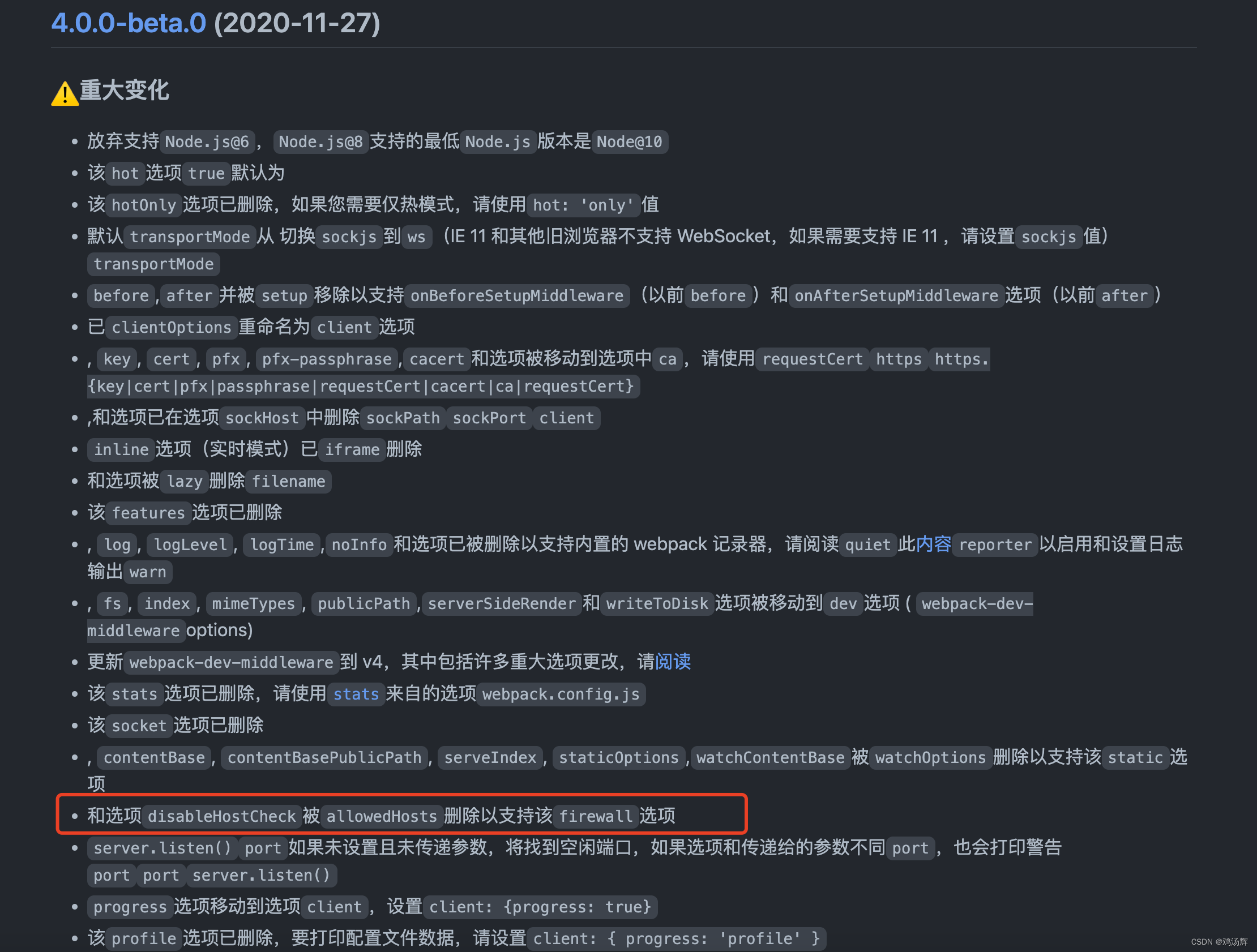
‘disableHostCheck’ 这个属性在webpack4中已经被删除替换,webpack5中已经不存在这个属性了,所以配置这个会报错,正确做法是替换成
devServer: {
    historyApiFallback: true,
    allowedHosts: "all"
  },
OK!
- 程序开发学习排行
- 最近发表
-
- WordPress随机显示特色图片插件:Random Post Thumbnails
- KeePass实现Chrome浏览器自动填充密码方法一
- LNMP一键包nginx 301强制跳转到https教程
- KeePass实现Chrome浏览器自动填充密码方法二
- #建站# 免费的VPS管理软件Xshell8/Xftp8中文版下载
- 使用Xshell 8连接VPS教程_电脑登录vps的方法
- WordPress评论界面添加烟花????效果
- 不同浏览器书签同步方案:坚果云+Floccus_详细使用教程
- iOS端KeePassXC客户端APP:Strongbox Password Safe
- 给WordPress评论中的Gravatar头像图片添加ALT属性